Managing documents efficiently is very important in today’s digital business environment. Whether it is invoices, contracts, employee records, or tax files, businesses generate thousands of documents every year. Handling these documents manually can create confusion, delays, and security risks.
This is where a Document Management System (DMS) becomes essential. It helps organizations store, manage, track, and retrieve documents digitally. For growing businesses and startups in Nepal, adopting a DMS can significantly improve productivity and reduce operational costs.
This beginner-friendly guide explains everything you need to know about a Document Management System.
What is a Document Management System (DMS)?
A Document Management System (DMS) is software that helps businesses store and manage documents electronically. Instead of keeping physical files in cabinets or folders on different computers, all documents are stored in one secure digital platform.
A DMS allows users to upload, organize, search, edit, share, and track documents easily.
How a Document Management System Works
A DMS typically works through the following process:
Documents are scanned or uploaded into the system
Files are categorized using folders, tags, or metadata
Users can search and retrieve documents instantly
Access permissions are assigned for security
Changes are tracked through version control
This ensures smooth document flow within an organization.
Difference Between DMS and Cloud Storage
Many people confuse cloud storage with a Document Management System. While both store files digitally, they are different.
Feature | Cloud Storage | Document Management System |
|---|---|---|
Basic File Storage | Yes | Yes |
Version Control | Limited | Advanced |
Workflow Automation | No | Yes |
Access Permissions | Basic | Detailed |
Document Tracking | No | Yes |
A DMS is more suitable for businesses because it includes document workflow, compliance features, and security controls.
Importance of Document Management System for Businesses
Proper document management is critical for business success. Manual document handling can lead to lost files, duplication, delays, and data leakage.
Reduces Paperwork and Manual Errors
Businesses can significantly reduce paper usage by adopting digital document management. This not only saves cost but also reduces human errors like misfiling or document loss.
Improves Team Collaboration and Productivity
Employees can access documents anytime from anywhere. This improves teamwork and speeds up decision-making.
For example, accounting teams can access invoices instantly without waiting for physical files.
Enhances Data Security and Compliance
Sensitive documents such as contracts, tax records, and employee data require strong protection. A DMS provides password protection, encryption, and controlled access.
This is especially important for businesses handling financial and legal records.
Helps in Faster Document Retrieval
Searching for documents manually can waste hours. A DMS allows users to find documents in seconds using keywords or filters.
This improves operational efficiency.
Key Features of a Document Management System
A good Document Management System includes several useful features.
Document Scanning and Digital Storage
Businesses can scan physical documents and store them digitally. This helps in creating a centralized document repository.
Version Control and Document Tracking
When multiple users edit a document, version control ensures that all changes are recorded. Users can also restore older versions if needed.
User Access Control and Permissions
Managers can define who can view, edit, or delete documents. This prevents unauthorized access.
Search and Indexing Functionality
Documents can be searched using keywords, file names, dates, or categories.
Workflow Automation and Approval Process
Documents such as purchase orders or contracts can be routed automatically for approval. This reduces delays and improves transparency.
Benefits of Using a Document Management System
Implementing a DMS provides long-term business benefits.
Saves Time and Operational Cost
Businesses spend less time managing files and more time focusing on growth activities. Printing, storage, and courier costs are also reduced.
Enables Remote Access and Work Flexibility
Employees can access documents from home or while traveling. This is very useful for remote accounting firms, marketing teams, and consulting businesses.
Improves Customer Service Efficiency
When customer records are easily accessible, businesses can respond faster to queries and complaints.
Supports Business Growth and Scalability
As businesses grow, document volume increases. A DMS can scale easily without requiring additional physical storage.
Types of Document Management Systems
Businesses can choose from different types of DMS solutions.
Cloud-Based Document Management System
Cloud-based DMS stores documents on remote servers. Users can access files through the internet.
Advantages:
Lower initial investment
Remote accessibility
Automatic backups
Easy updates
This is ideal for startups and SMEs in Nepal.
On-Premise Document Management System
In this system, documents are stored on company servers.
Advantages:
Full control over data
Higher customization
Suitable for large organizations
However, it requires higher setup and maintenance costs.
Industry-Specific Document Management Solutions
Some DMS platforms are designed for specific industries like healthcare, legal firms, or accounting businesses.
These solutions include specialized features like compliance tracking and audit trails.
How to Choose the Right Document Management System
Selecting the right DMS depends on business needs and budget.
Identify Your Business Needs and Budget
Small businesses may need basic document storage and sharing features, while large organizations require workflow automation and integration capabilities.
Check Integration with Existing Software
A good DMS should integrate with accounting software, CRM systems, and ERP platforms.
This helps avoid duplication of work.
Evaluate Security and Backup Options
Ensure the system offers encryption, multi-factor authentication, and regular data backups.
Consider User-Friendliness and Support
Employees should be able to use the system easily. Also check whether the software provider offers training and technical support.
Steps to Implement a Document Management System
Successful DMS implementation requires proper planning.
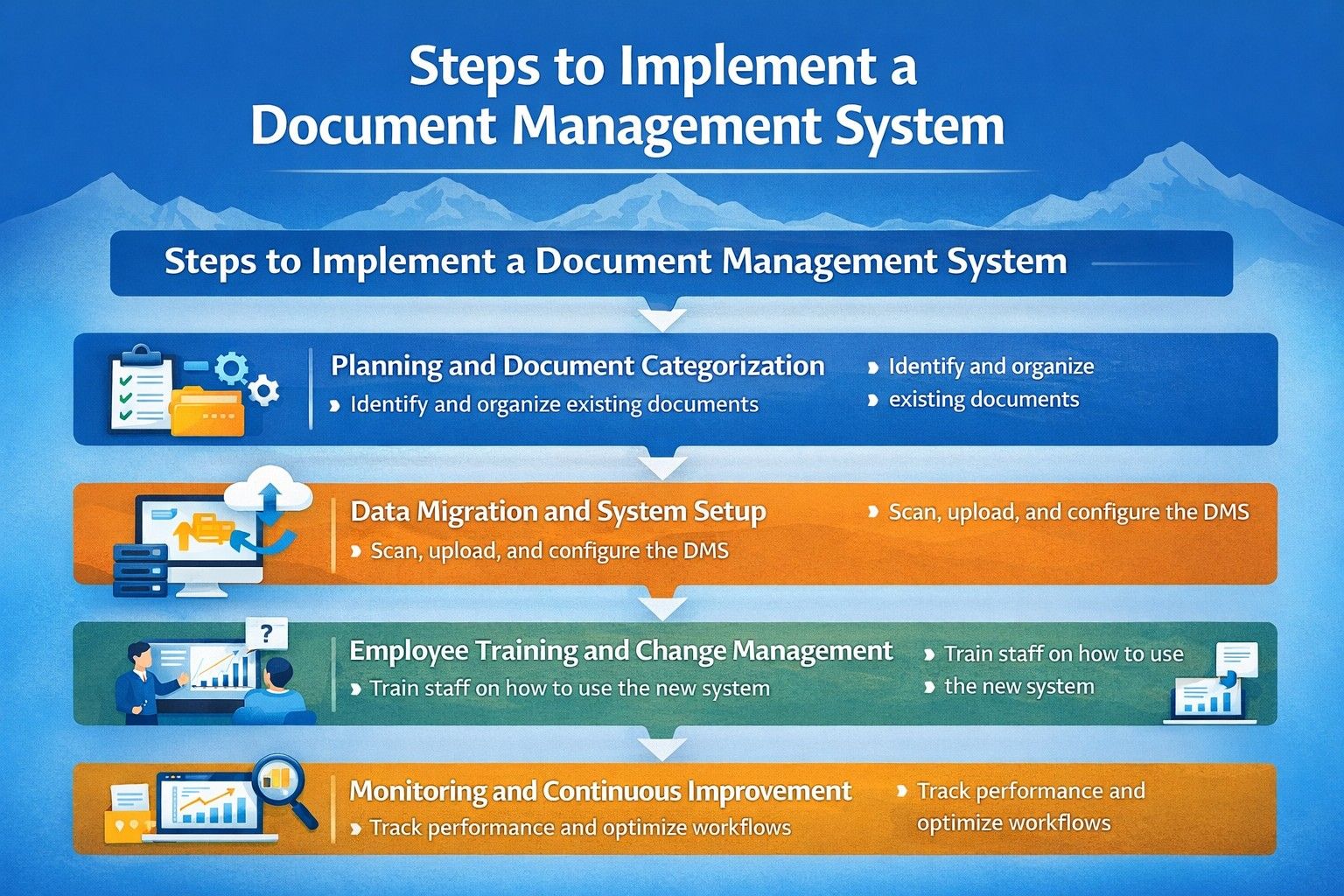
Planning and Document Categorization
Identify which documents need to be digitized. Create categories like finance, HR, legal, and operations.
Data Migration and System Setup
Scan and upload documents into the system. Set user roles and permissions.
Employee Training and Change Management
Employees should be trained on how to use the new system. Resistance to change can be reduced through awareness programs.
Monitoring and Continuous Improvement
After implementation, monitor system performance and collect user feedback.
Challenges in Document Management System Implementation
While DMS offers many benefits, businesses may face some challenges.
Resistance to Digital Transformation
Employees may be comfortable with traditional paper-based systems.
Initial Setup Cost and Technical Issues
Some systems require investment in infrastructure and training.
Data Privacy and Compliance Concerns
Businesses must ensure compliance with data protection regulations.
Future Trends in Document Management System
Document management technology is evolving rapidly.
AI-Powered Document Automation
Artificial intelligence can automatically classify documents, extract data, and suggest actions.
Mobile Document Management Solutions
Users can manage documents using smartphones and tablets.
Integration with ERP and Accounting Software
Future DMS platforms will offer seamless integration with business applications to improve efficiency.
Conclusion
A Document Management System (DMS) is no longer a luxury but a necessity for modern businesses. It improves productivity, enhances security, reduces operational costs, and supports business growth.
For startups, accounting firms, marketing agencies, and service-based businesses in Nepal, adopting a DMS can create a strong digital foundation.
Organizations that invest in proper document management today will gain a competitive advantage in the future.